Add paging sorting and search using jquery datatable
This is quick tutorial about adding paging, sorting and search feature in your table grid,
If you don’t have time to write code for paging, sorting and search feature then you can use jquery datatable plugin to add these feature instantly. You can also see tutorial to create paging in core php and If you are cakephp developer have a look, How to create paging and sorting in cakephp
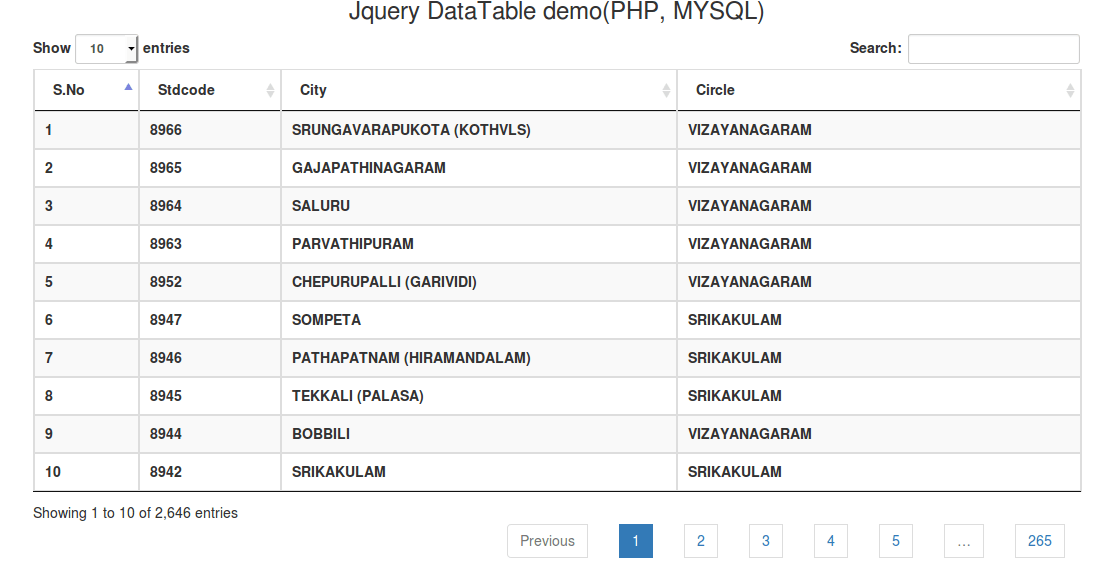
So lets start the tutorial.
Here i have a std code database of india and i need to create table grid with paging sorting and search feature So i am going to use jquery datatable to make these feature quickly.
First of all make database connection and write query to fecth data from database.
After that create view page. Here i am going to use bootstrap datatable version so add required bootstrap and datatable css and js files on your view page.
After that create dynamic table grid using php
| S.No | Stdcode | City | Circle |
|---|---|---|---|
Now finally add datatable function in your page to make it action.
Where #stdcode is table id.
Now your final index.php file will be..
index.php
Jquery datatable demo
Jquery DataTable demo(PHP, MYSQL)
S.No Stdcode City Circle
If you have hug records in your database then i’ll not recommend above datatable function that was very basic function of datatable, You must use server processing function of datatable Please have a look.
https://www.datatables.net/examples/data_sources/server_side.html
DEMO
DOWNLOAD
If you like this post please don’t forget to subscribe my public note book for more useful stuff
